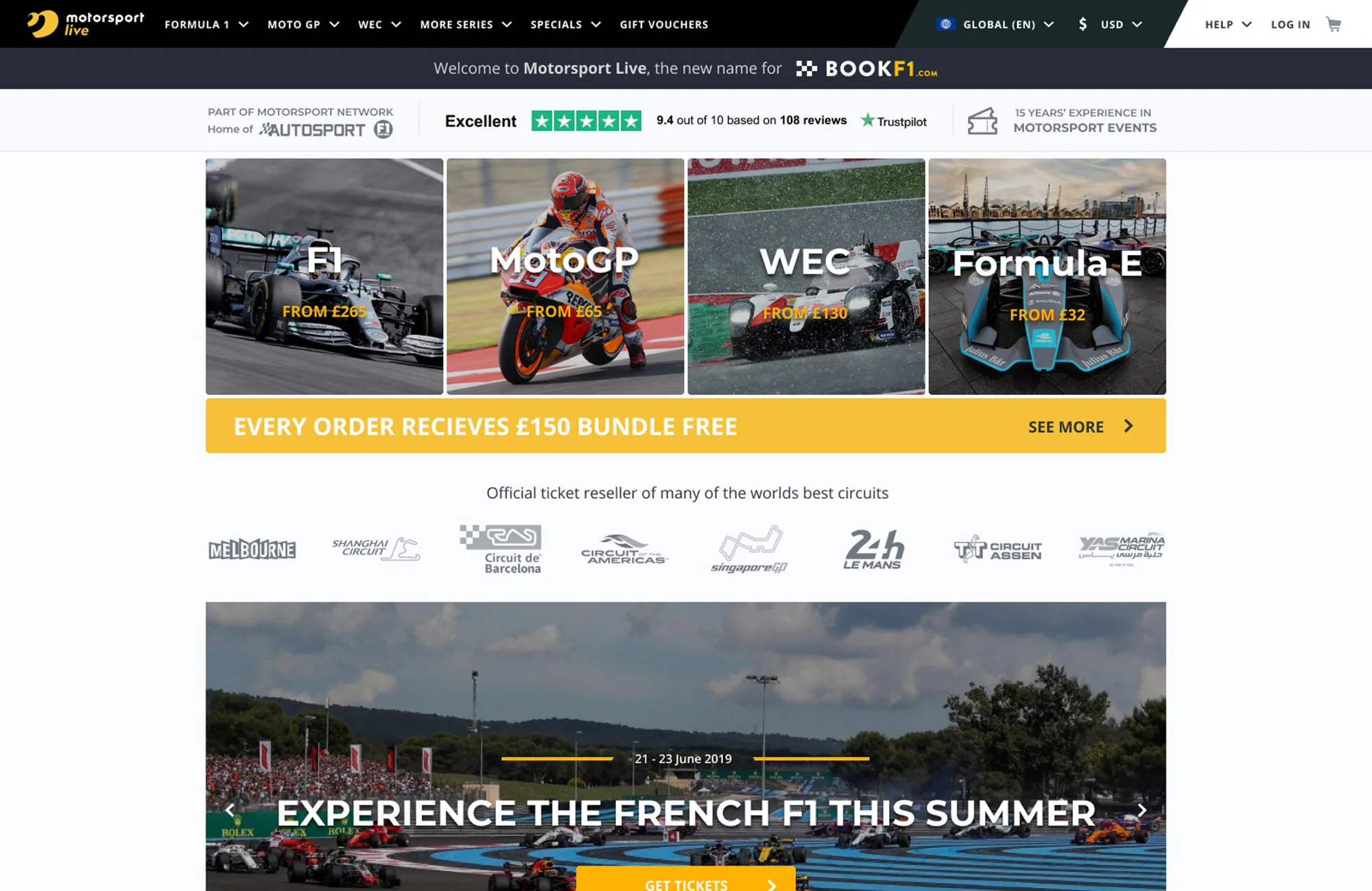
Motorsport Live is a ticketing and travel web product — everything a fan needs to actually get to a race weekend, from the grandstand seat to the flight, in one checkout.
Travel bundles in sports are usually two products pretending to be one — a ticketing engine and a travel agent, linked by a plastic coupon code. The brief was to make it one thing: pick a race, pick a seat, and the product quietly figures out how you get there, where you stay and what else you want around the weekend.
The structural decision was to keep everything in one cart. Tickets, flights, transfers, hotels and trackside add-ons are separate businesses with separate cancellation rules, but from the user's side they're one trip. The cart had to hold that complexity without showing it.
How we worked
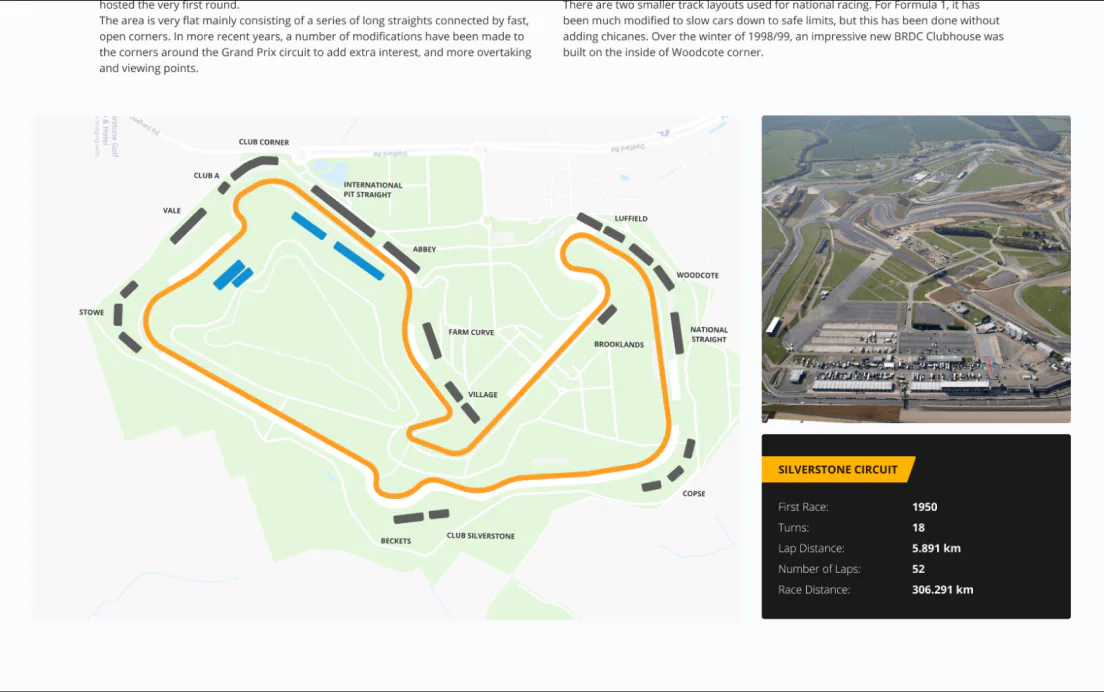
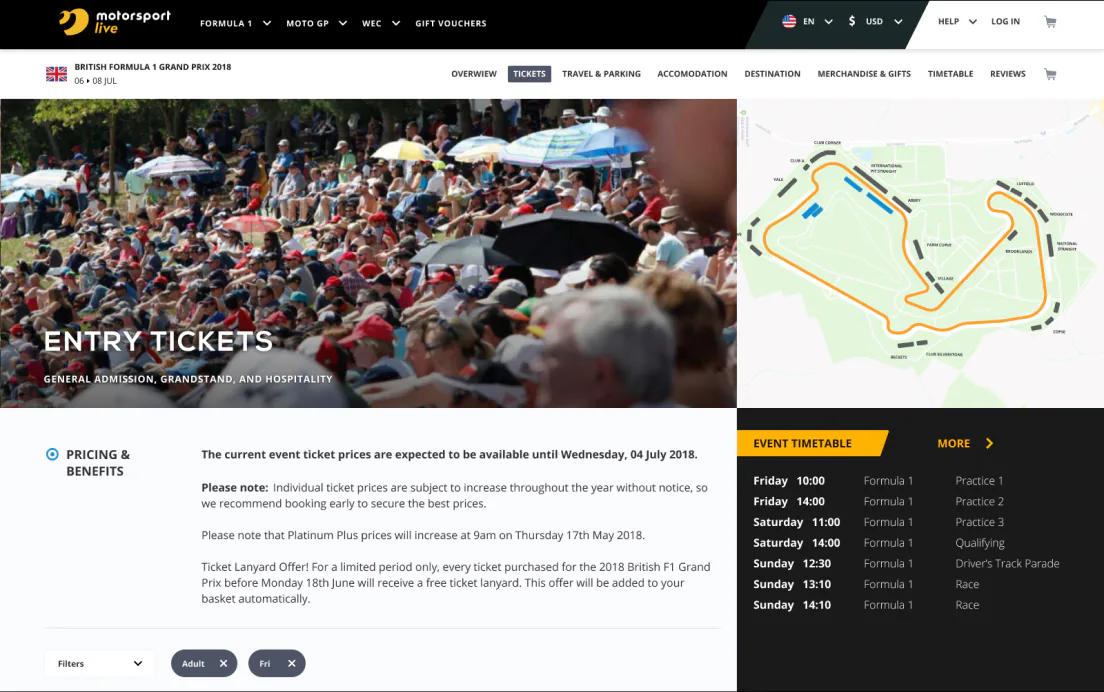
The venue maps were where the project started and where it almost collapsed. Each circuit has its own grandstand layout, its own camera angles, its own language for sectors. I spent four weeks working through SVGs with the data team — not designing the map, but deciding what the map should hide and what it should emphasise. The rule we landed on: show the track, show where the user will sit, show what they'll see from that seat. Nothing else.
The second piece was the cross-sell. The temptation in travel is to push everything — insurance, extras, upgrades — because every attach-rate point is real money. I argued for the opposite: surface only the things that match the actual trip the user is building. If someone picks a local weekend, no flight tile. If the user already added a hotel, no hotel tile on the next step. The product lost some short-term conversion and gained a customer who actually finishes the checkout.
The mobile layout came last because it was the honest test. If the whole flow — event, seat, trip, checkout — works on a 5-inch screen, the desktop version is fine by definition. I rebuilt three screens specifically for phone use, including the seat map, which is a genuinely hard problem at small sizes. The solution involved levels of zoom, not shrinking — and a sector picker that falls back to a list when pinch stops helping.

The booking flow, scenario by scenario
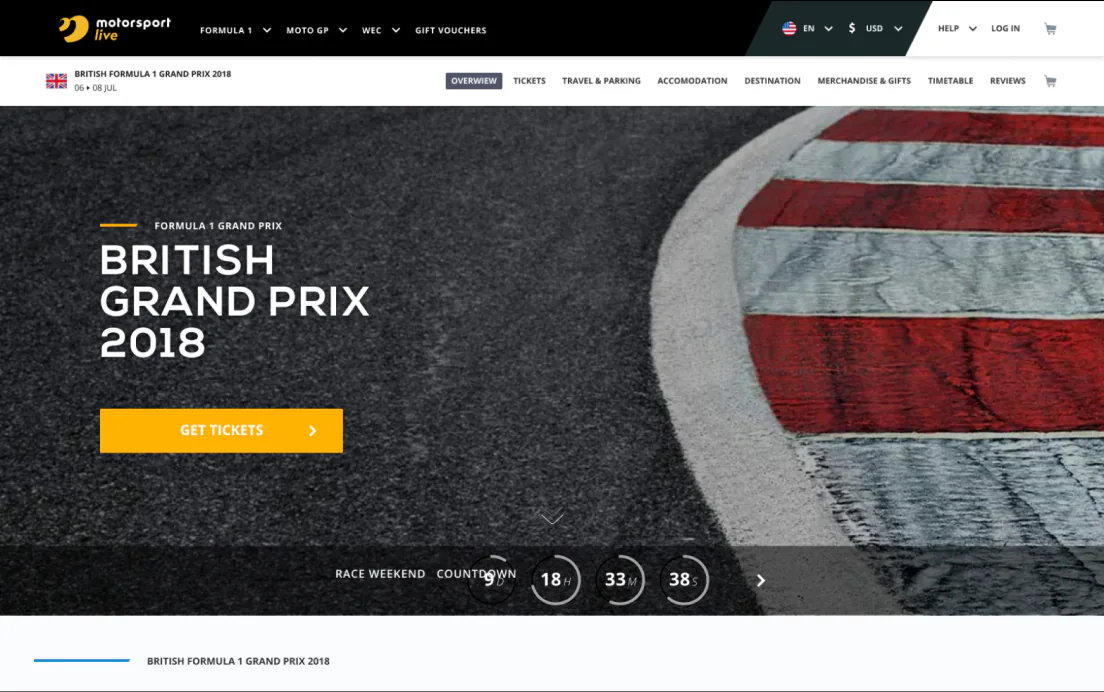
With the structure in place, I checked every screen against the situations where fans actually get stuck buying a race weekend. Five of them shaped the flow. The screens below use the British Grand Prix at Silverstone as the example event.
01 · A first Grand Prix with the family
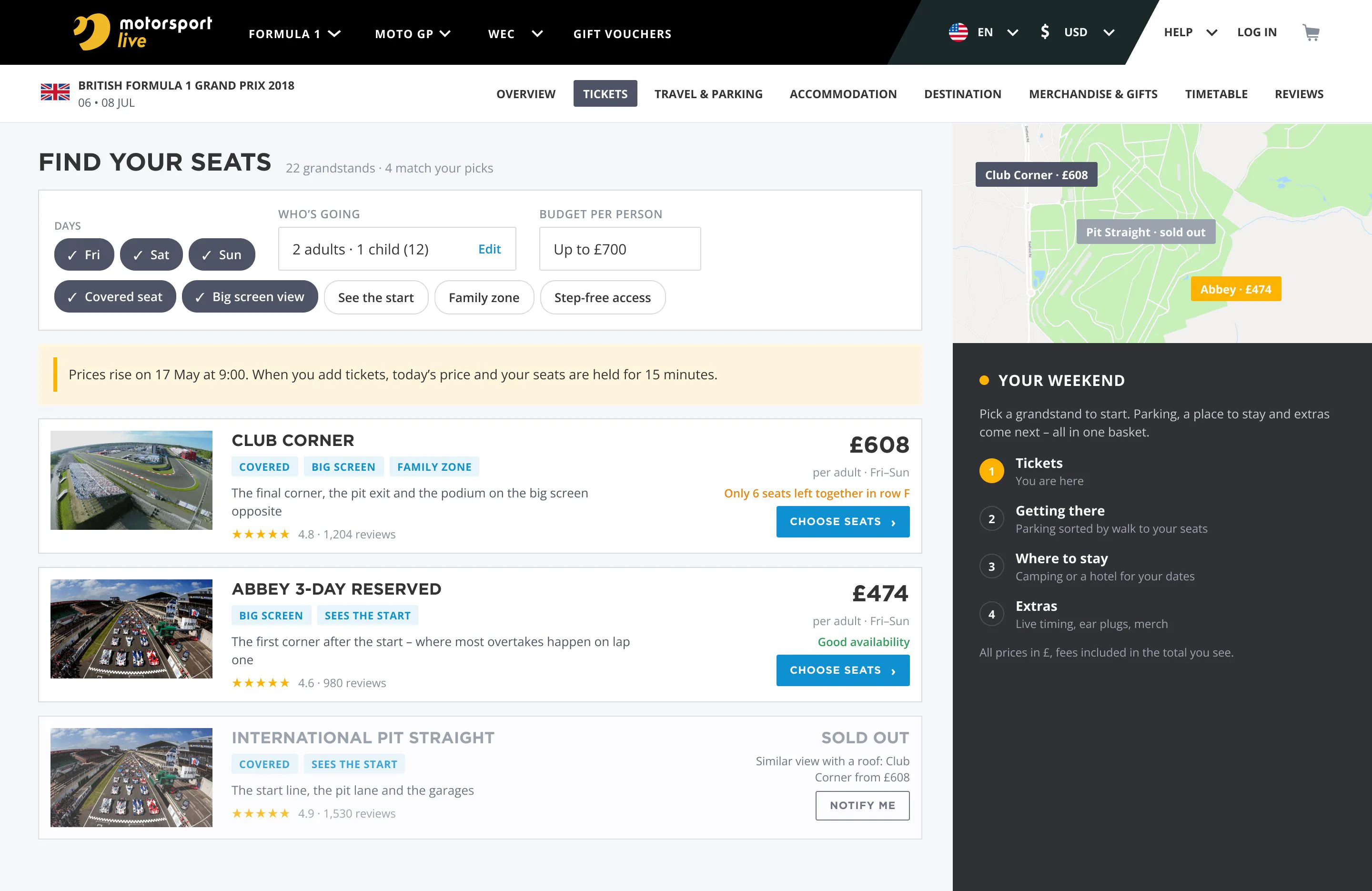
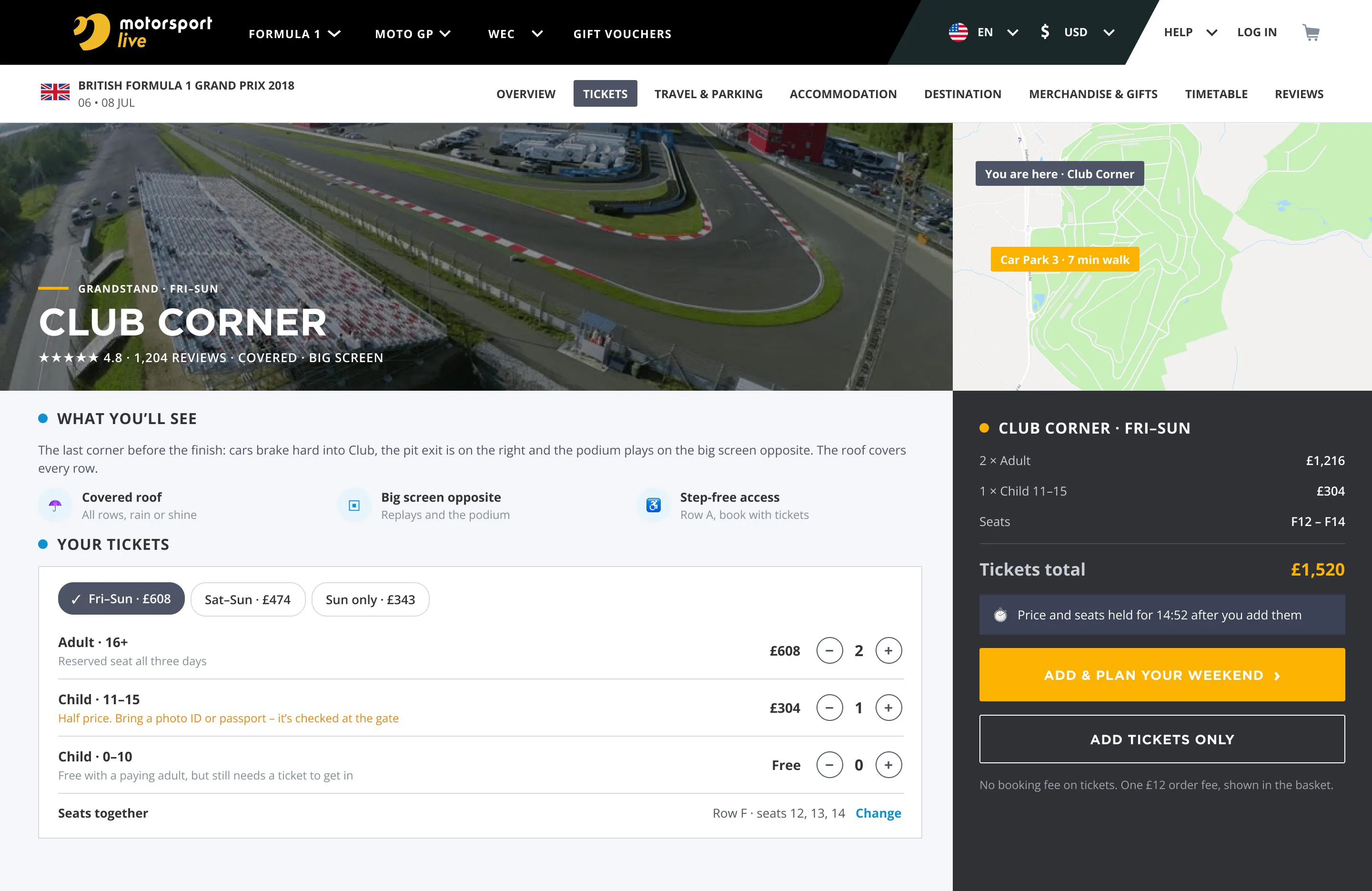
Twenty-plus grandstands with names that mean nothing to a first-timer. The seat finder starts from what people care about: which days, who’s going, the budget, a roof, a big screen. Every stand shows a photo from its rows and one line on what you’ll see, the same rule as on the venue maps, carried into the list. Child tickets are priced per person, with the age rule next to the price instead of in a paragraph under the table.
02 · The whole weekend in one go
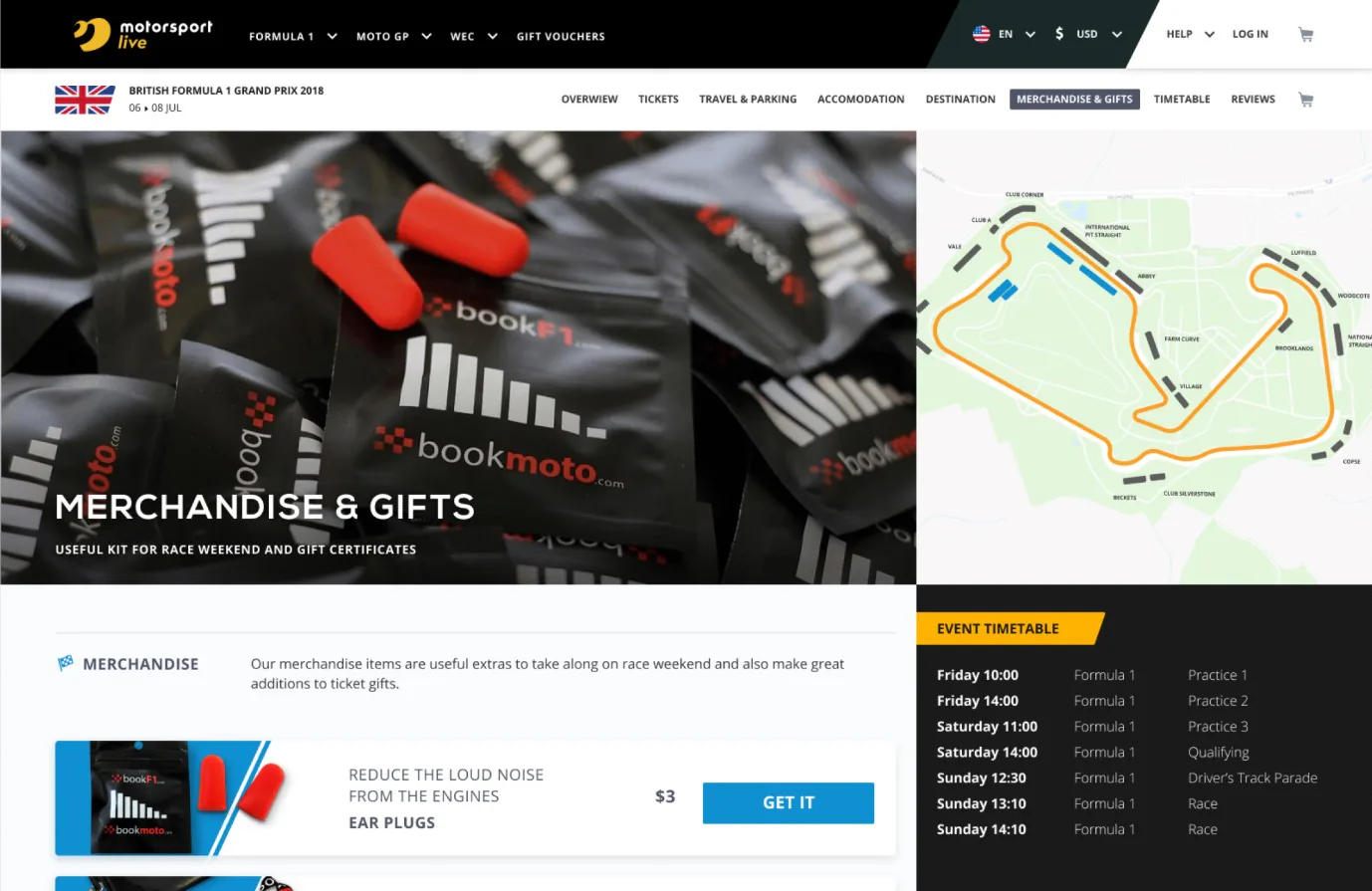
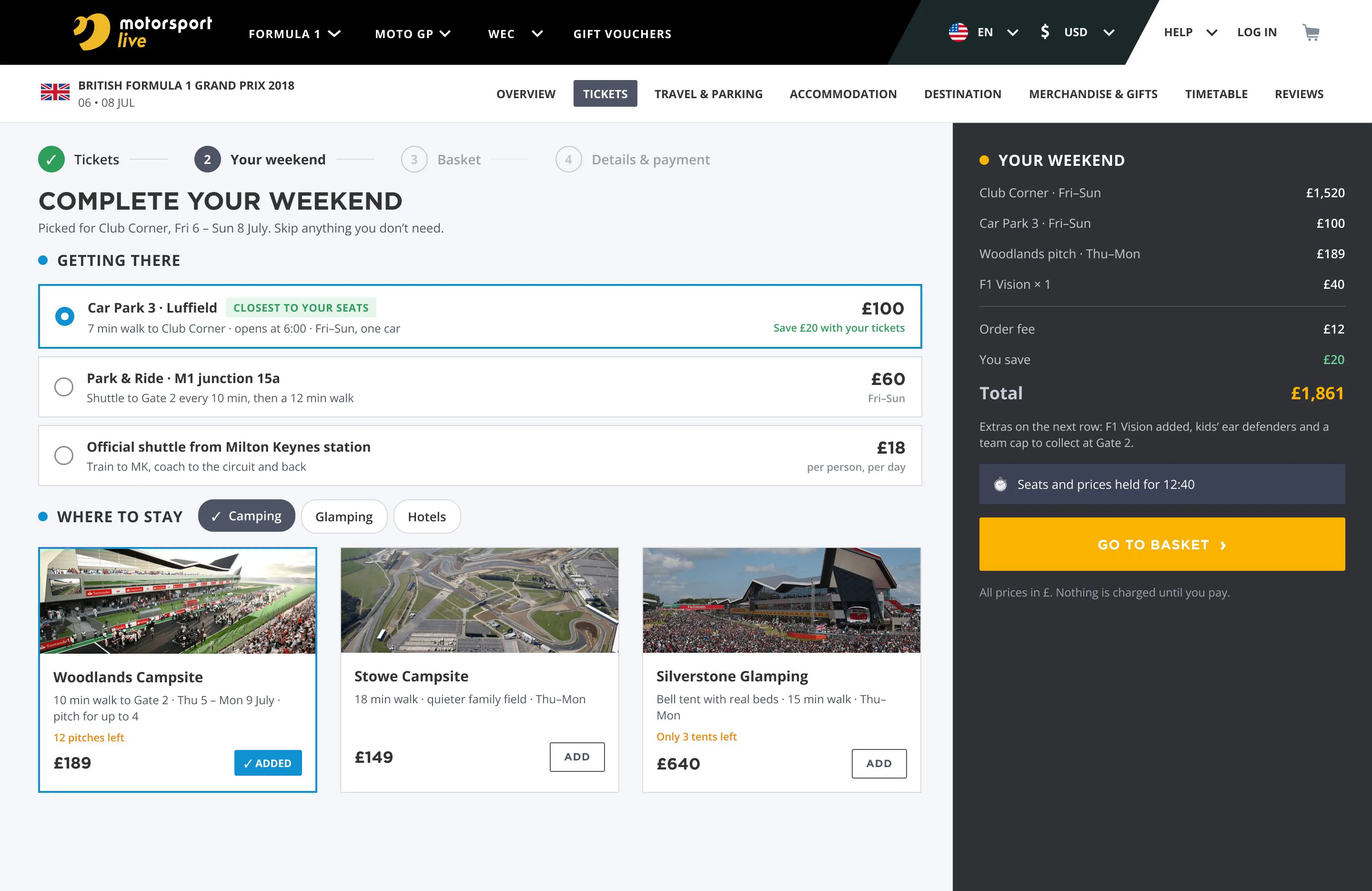
This is where the cross-sell rule lives. Right after tickets comes one optional step: parking ranked by the walk to your grandstand, campsites and hotels with your dates already filled in, and a few extras that make sense for the trip. The group in this example is driving, so there’s no flight tile. Everything lands in the same basket, grouped by what it’s for.
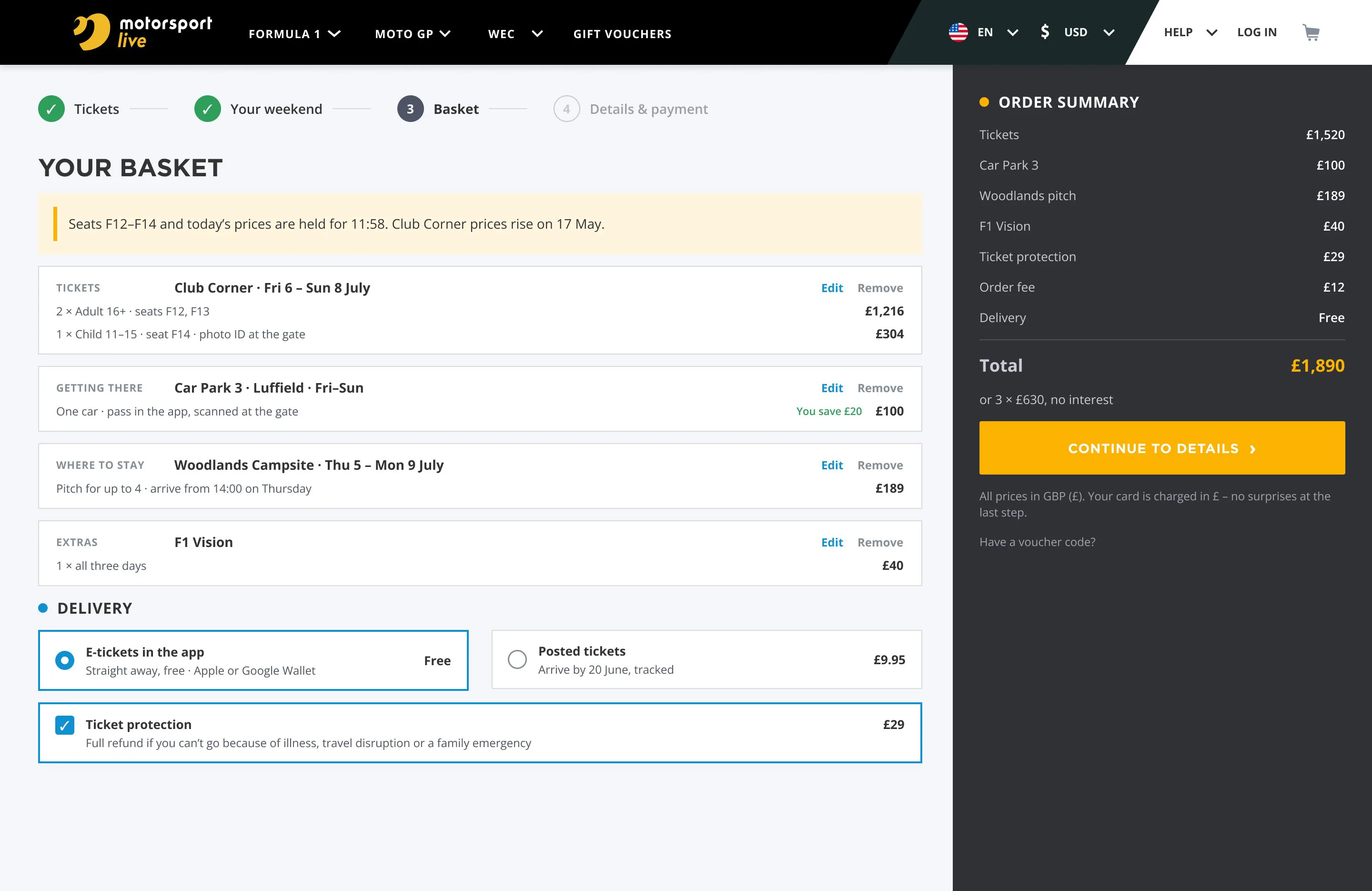
03 · Prices go up, seats run out
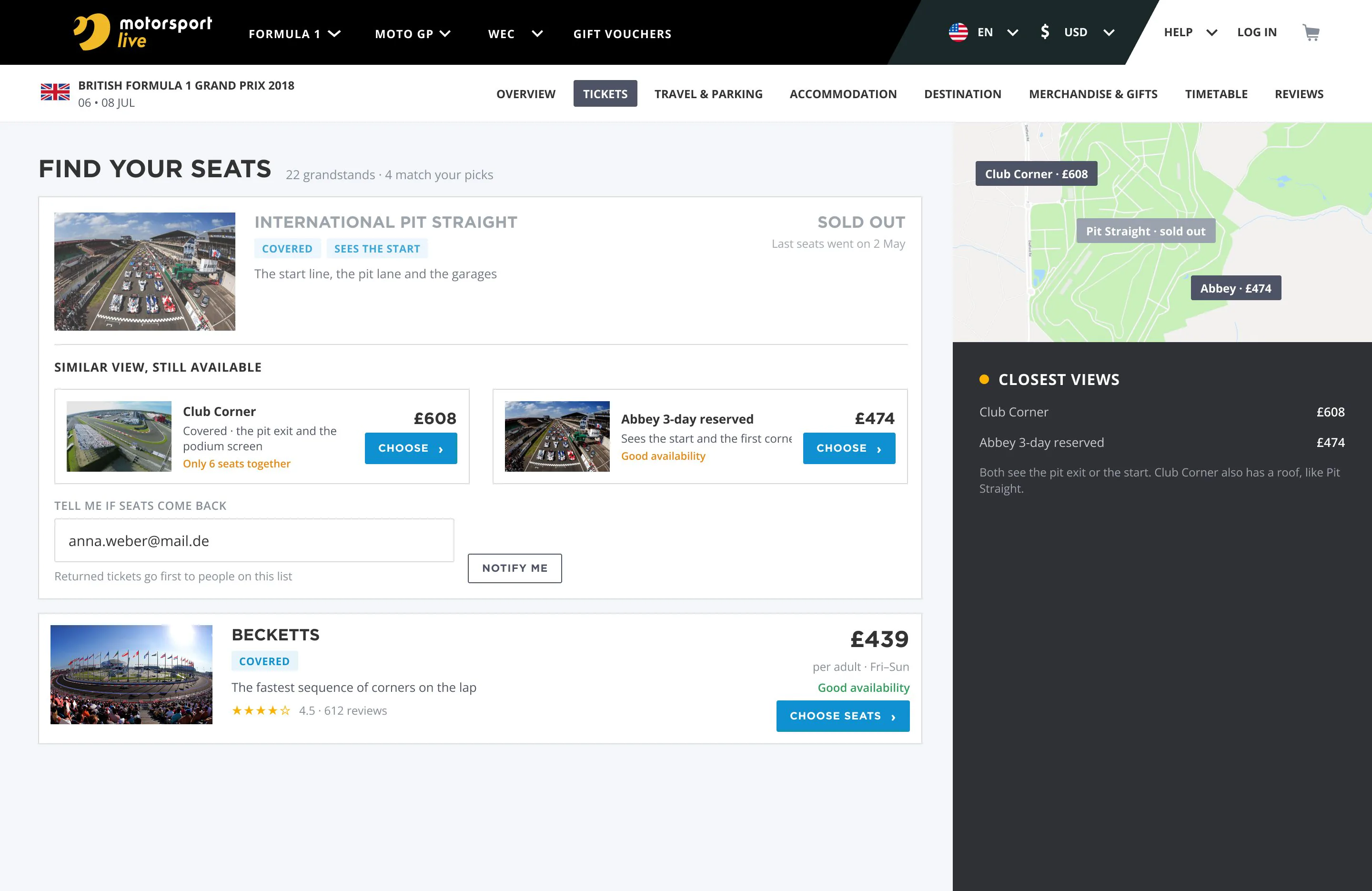
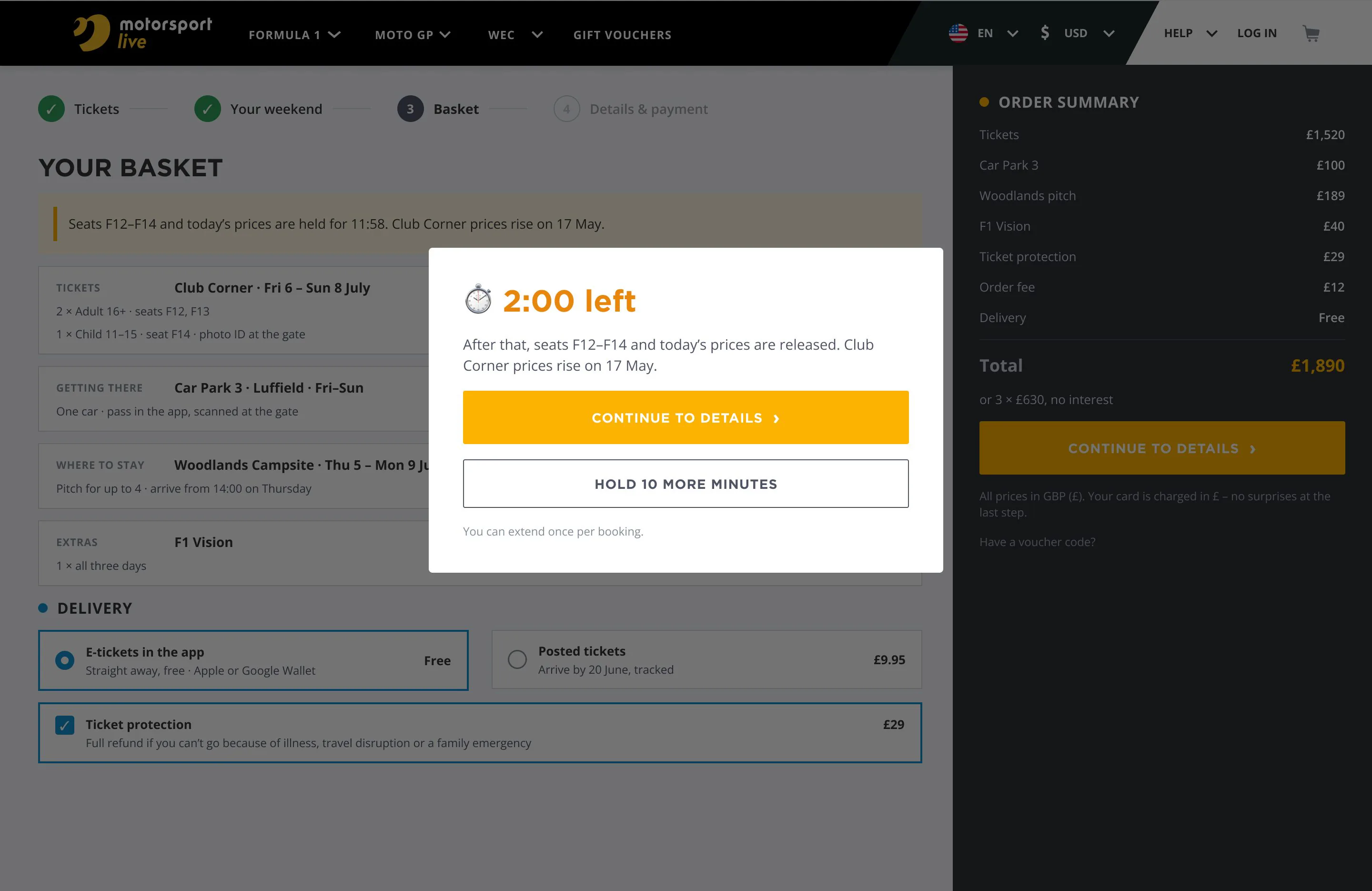
Grand Prix prices rise on fixed dates and the good rows go fast, so people either rush or hesitate and lose the seat. The page names the date of the next price rise. The basket holds the seats and the price for 15 minutes with the timer in view, and a two-minute warning offers one extension. A sold-out stand says when it sold out and points to the two closest views still on sale.
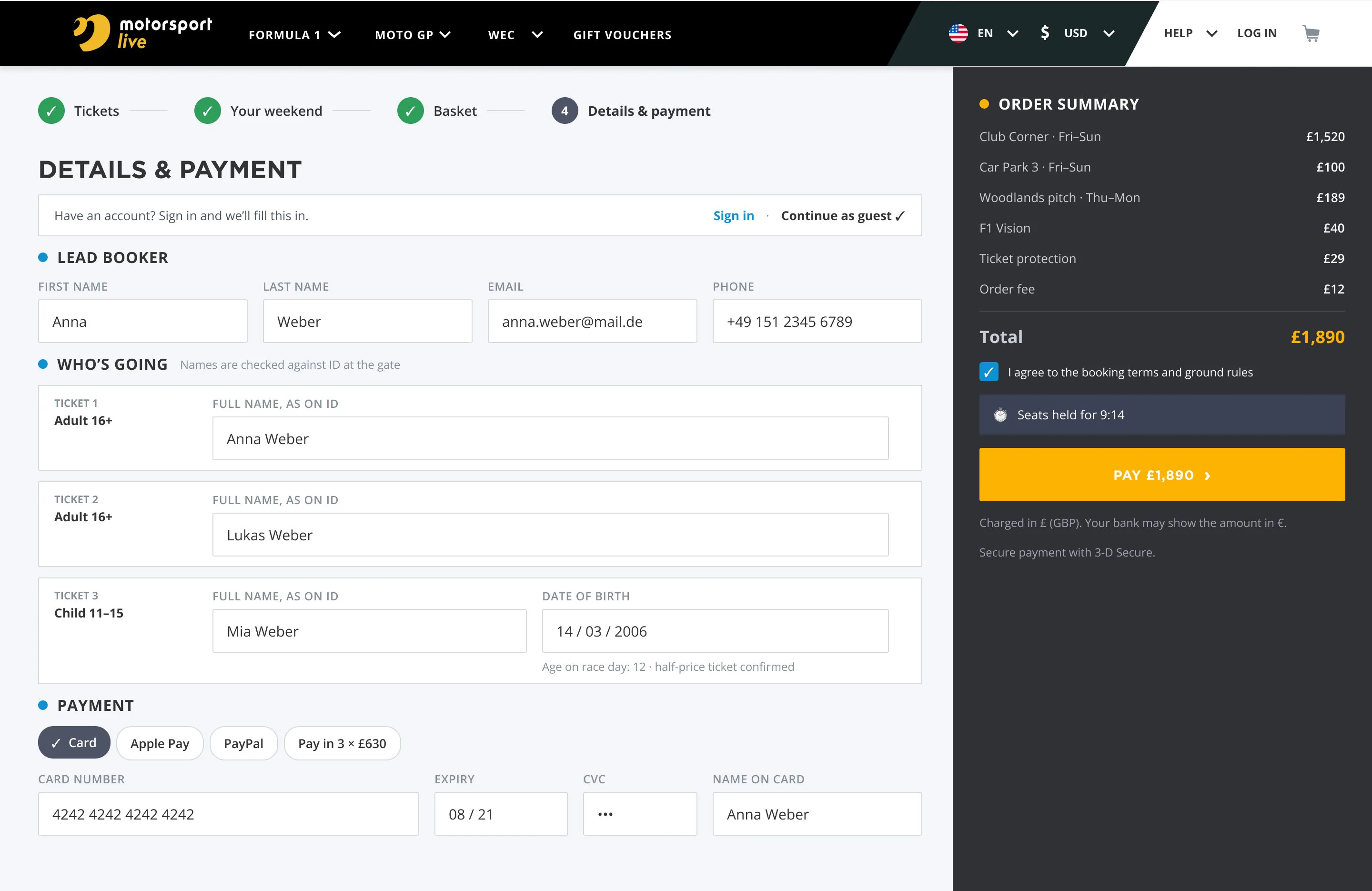
04 · No surprises at checkout
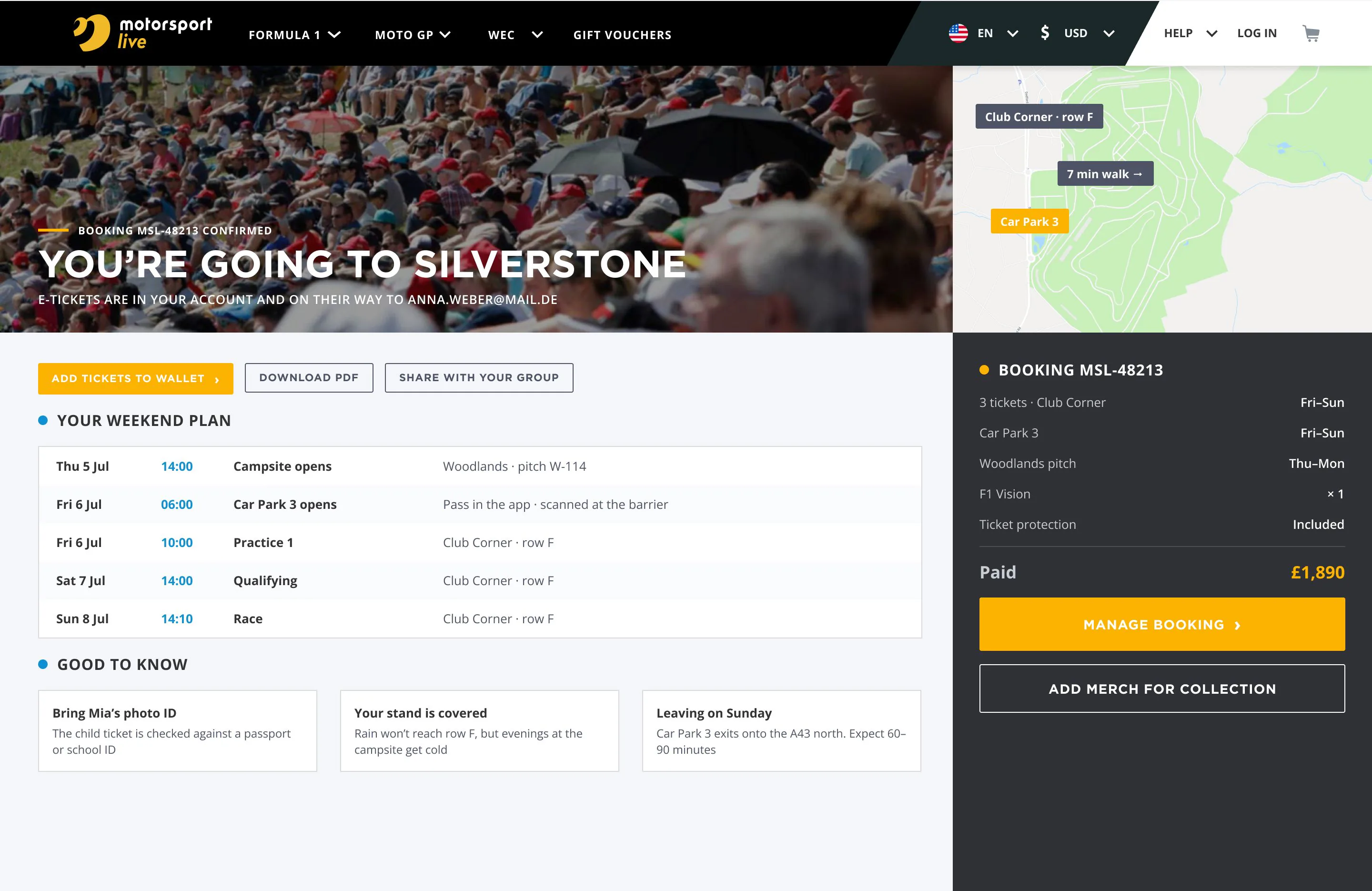
One currency from the first screen to the card statement, and every fee inside the running total from the start. E-tickets go straight to the wallet, with post as an option. Each ticket gets a name because the circuit checks ID, and a child’s date of birth is checked against the ticket type as you type. The confirmation turns the booking into a weekend plan: campsite, car park, sessions and the walk to your seats.
05 · After the booking
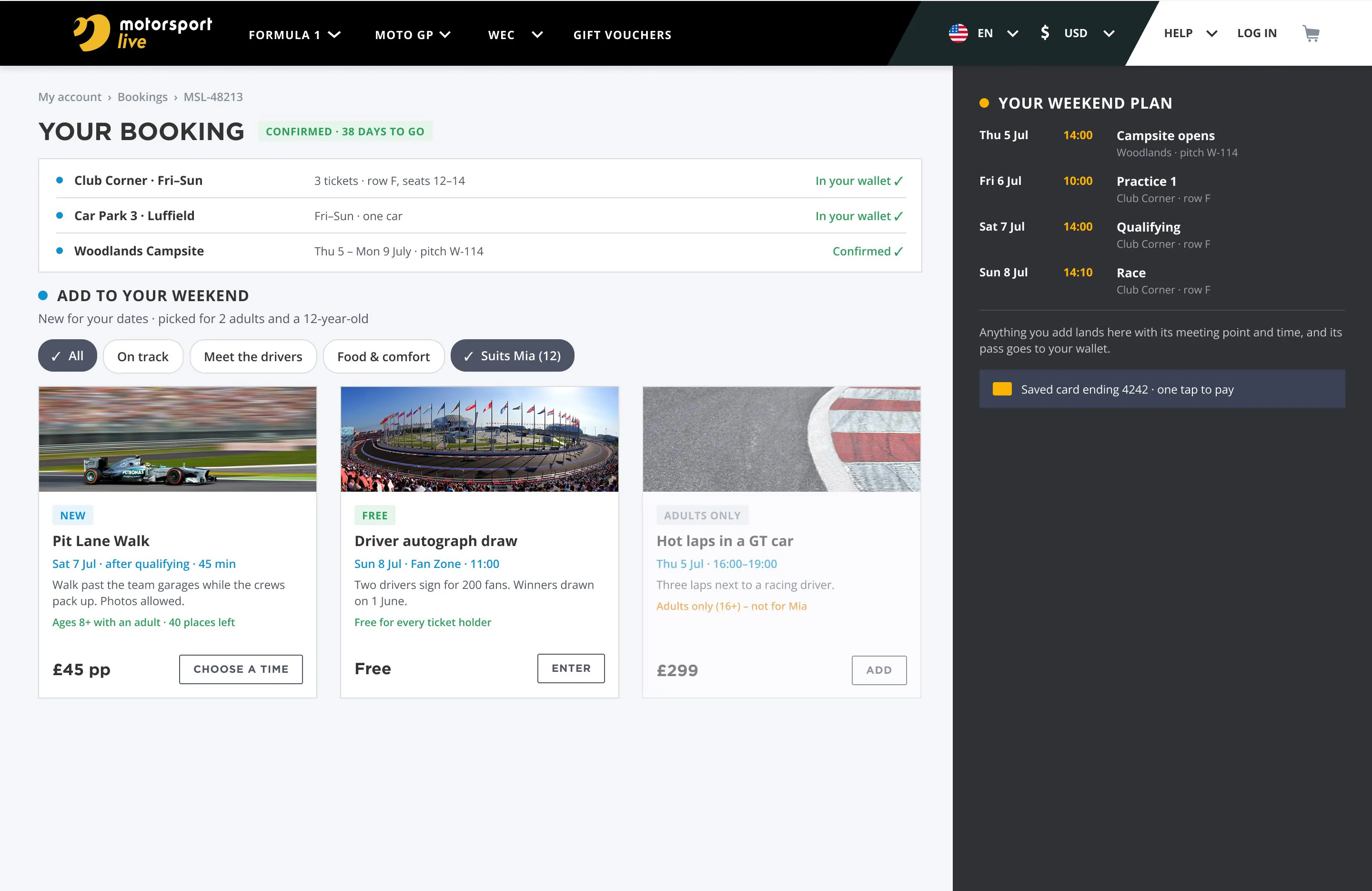
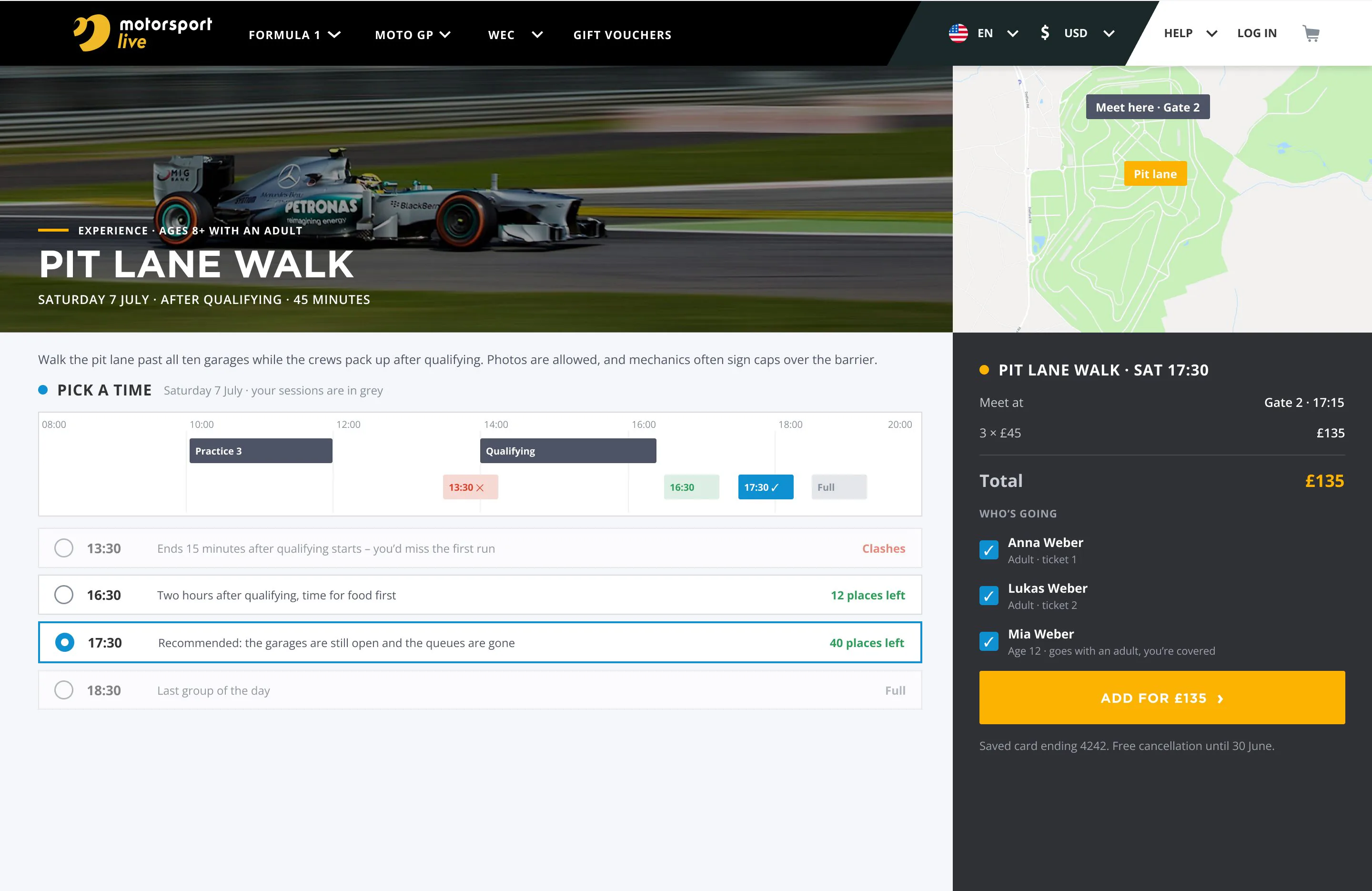
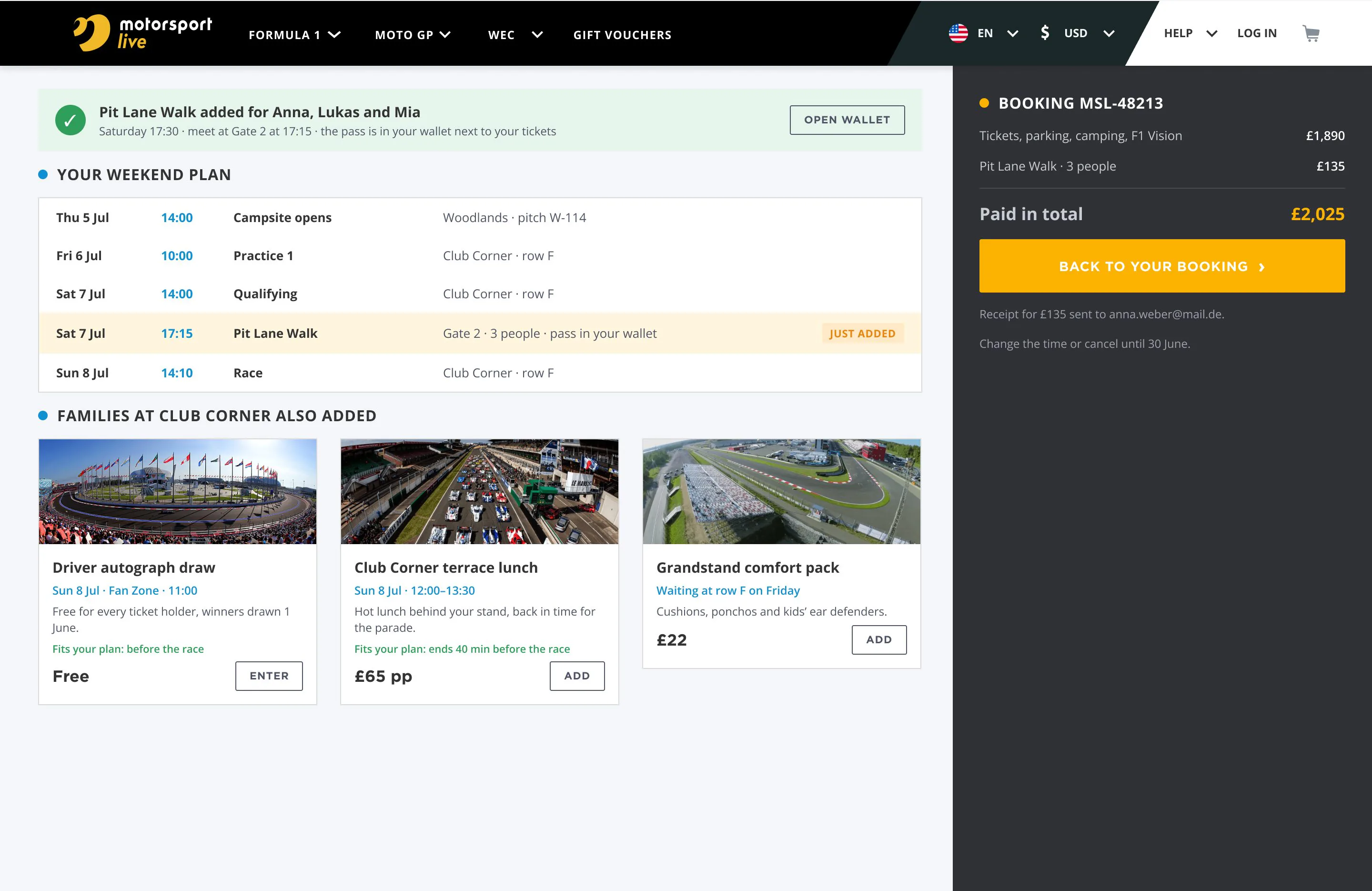
Pit lane walks and driver sessions are announced months after people buy tickets, usually on another page. They now appear inside the booking, filtered by the group’s days and ages, with time slots laid over the weekend plan, so a clash with qualifying shows before you pay. Adding one is a tap with the saved card, and it joins the same plan and wallet as the tickets.
What shipped
- Event and seat selection on detailed venue maps
- Cross-sell: flights, transfers, hotels, on-track services
- Single cart and unified checkout across all components
- Account area: tickets, trip itinerary, support
- Full mobile-adaptive layout for the same flows
- Seat and price hold with a visible timer, alternatives for sold-out stands
- Experiences inside the booking, planned around the weekend itinerary
Closing note
A complex catalogue that still fits a one-page checkout. The hardest decisions were structural — how to keep tickets, flights, hotels and add-ons feeling like one trip rather than four separate purchases.