FlowHealth Patient is the patient-side iOS app — insurance, appointments, tests and results for you and the people you're responsible for, all on one phone.
This is the other half of FlowHealth. Where the Doctor app is a clinician's workspace, Patient is what the clinician's patient takes home — a personal portal with your own file, your children's files, an insurance card for every plan you're on, test orders, visit scheduling, and results written in language you can read without a medical degree.
The challenge wasn't any single screen — it was two things pulling at the architecture at once. Tests don't arrive in a single shape: an allergy panel is a constellation of antibodies with cross-reactions, a dietary panel splits Type I and Type III hypersensitivities, a CBC is fifteen numbers most patients can't read without help. And dependents — adding a child to your portal rewrote navigation, insurance, results and how we onboard a "new" patient who already exists somewhere in the medical system.
How we worked
Research started on both sides of the phone. We talked to patients directly, but often — at least half the time — to the person sitting next to them: a parent managing a child's care, an adult daughter tracking her mother's appointments, a spouse who holds the shared insurance. The default assumption — that the phone's owner is the patient — turned out to be wrong in roughly half of our sessions. Every screen had to work for the person acting on behalf of someone else, not only for the person whose name is on the file.
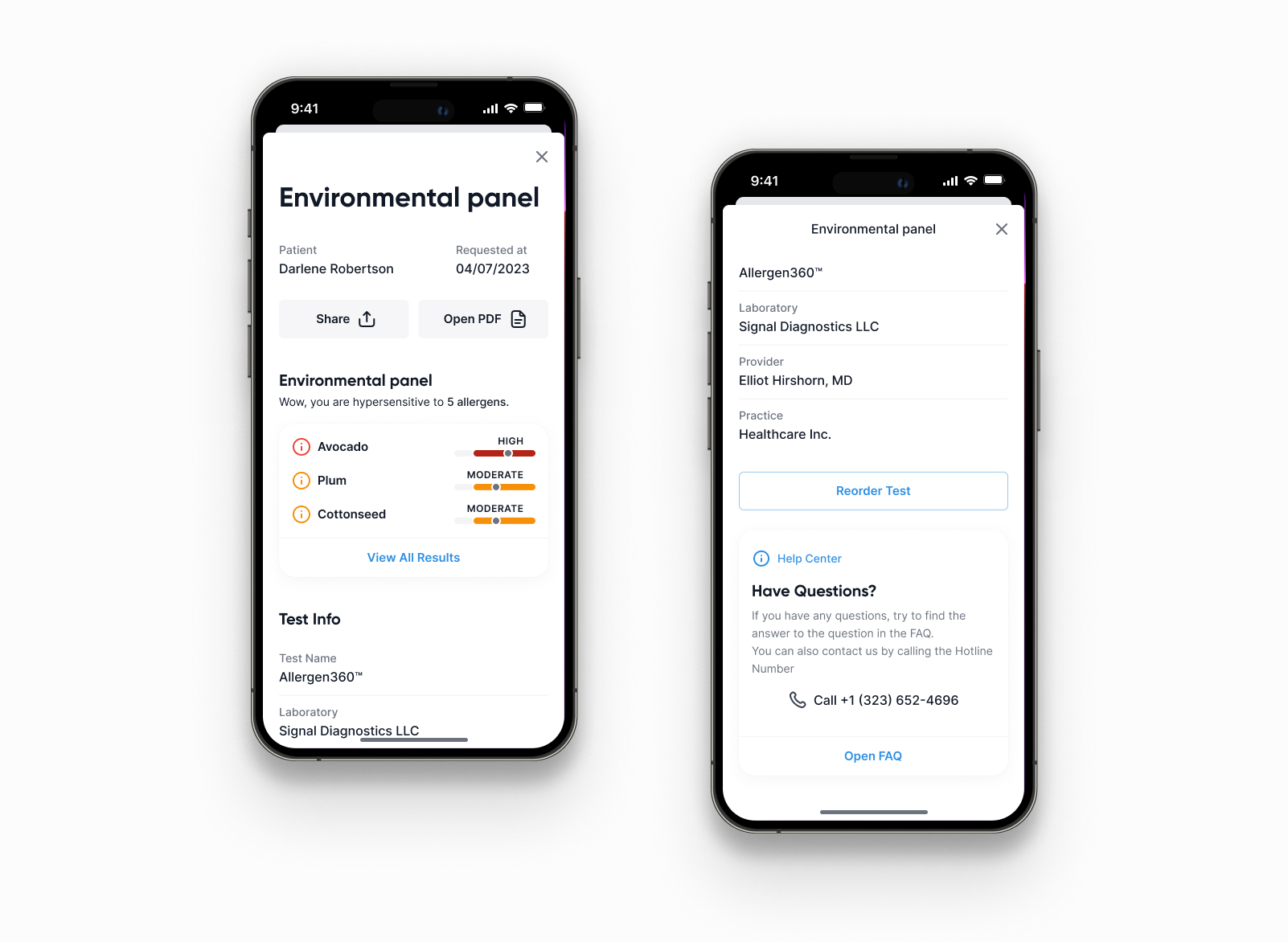
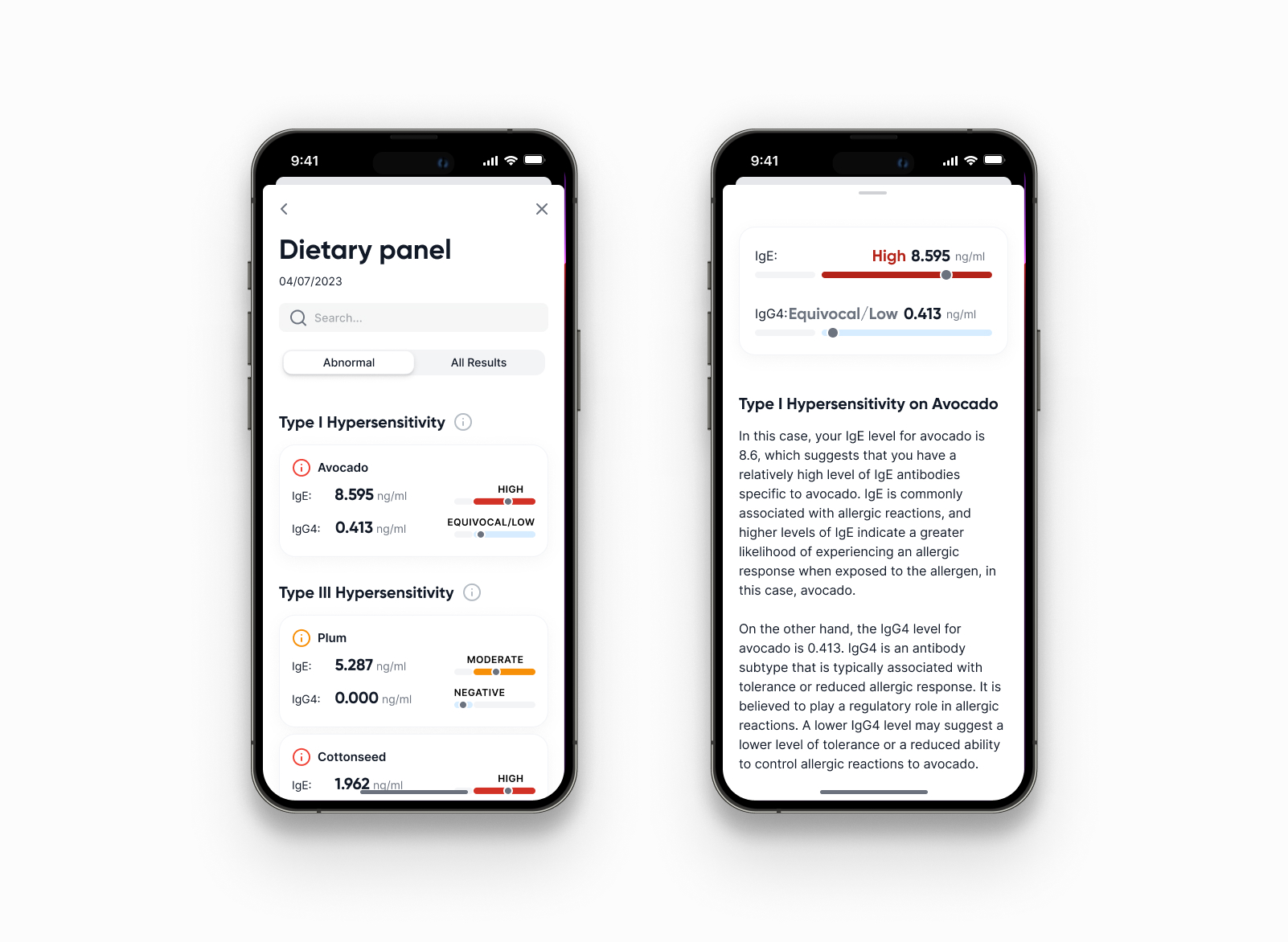
Tests were the biggest content problem. We built a taxonomy of result types and a layout template per type — each family of tests has its own answer to "what do these numbers mean." An allergy panel shows a sorted list of allergens with severity bars and a cross-reaction note. A dietary panel splits Type I and Type III hypersensitivities, with IgE versus IgG4 explained in one paragraph of plain language right under the values. A CBC flags only the out-of-range rows and nothing else. The AI layer from Adia Health produces the first-pass interpretation; the UI's job is to show the patient the answer before the data.
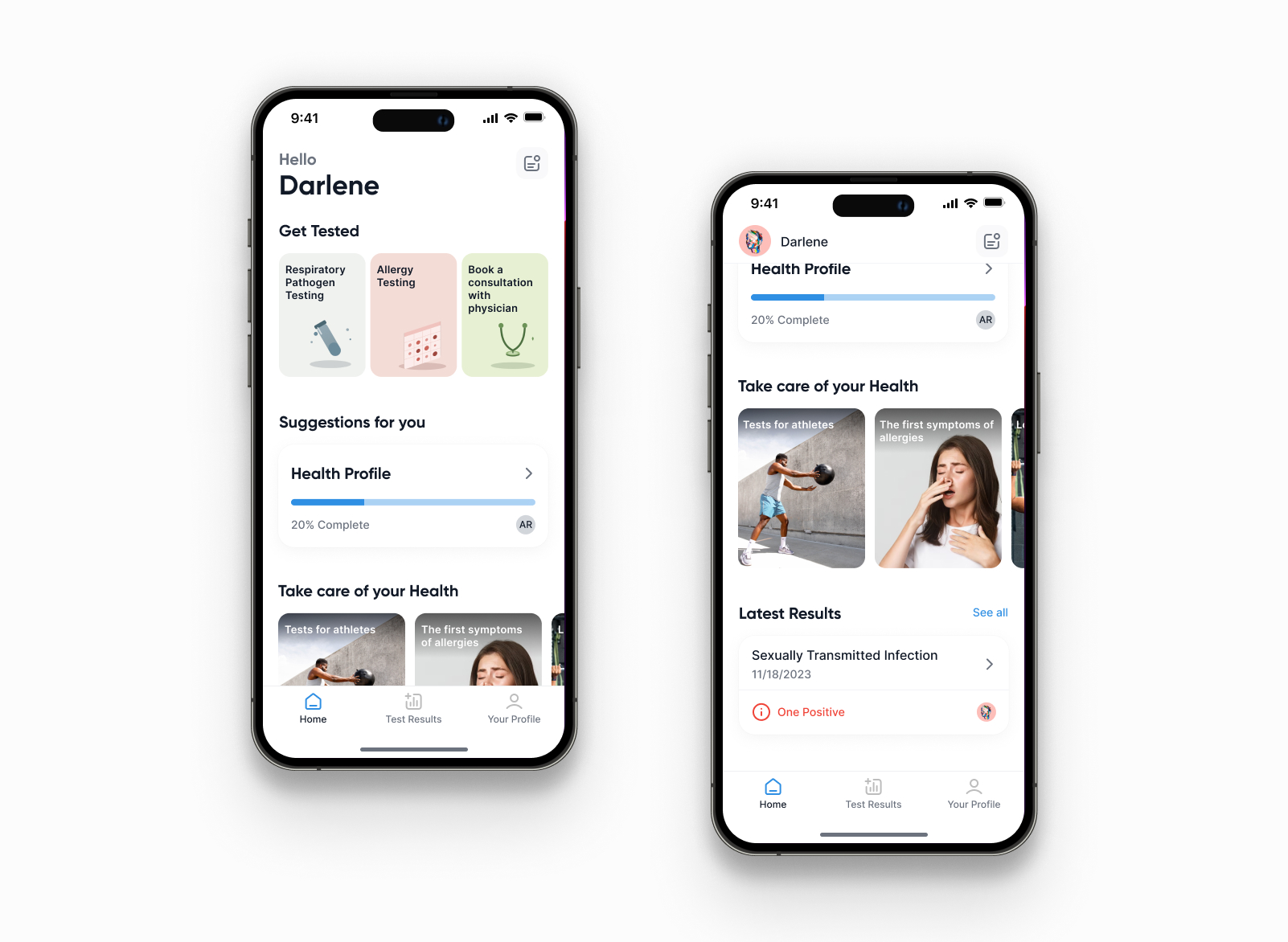
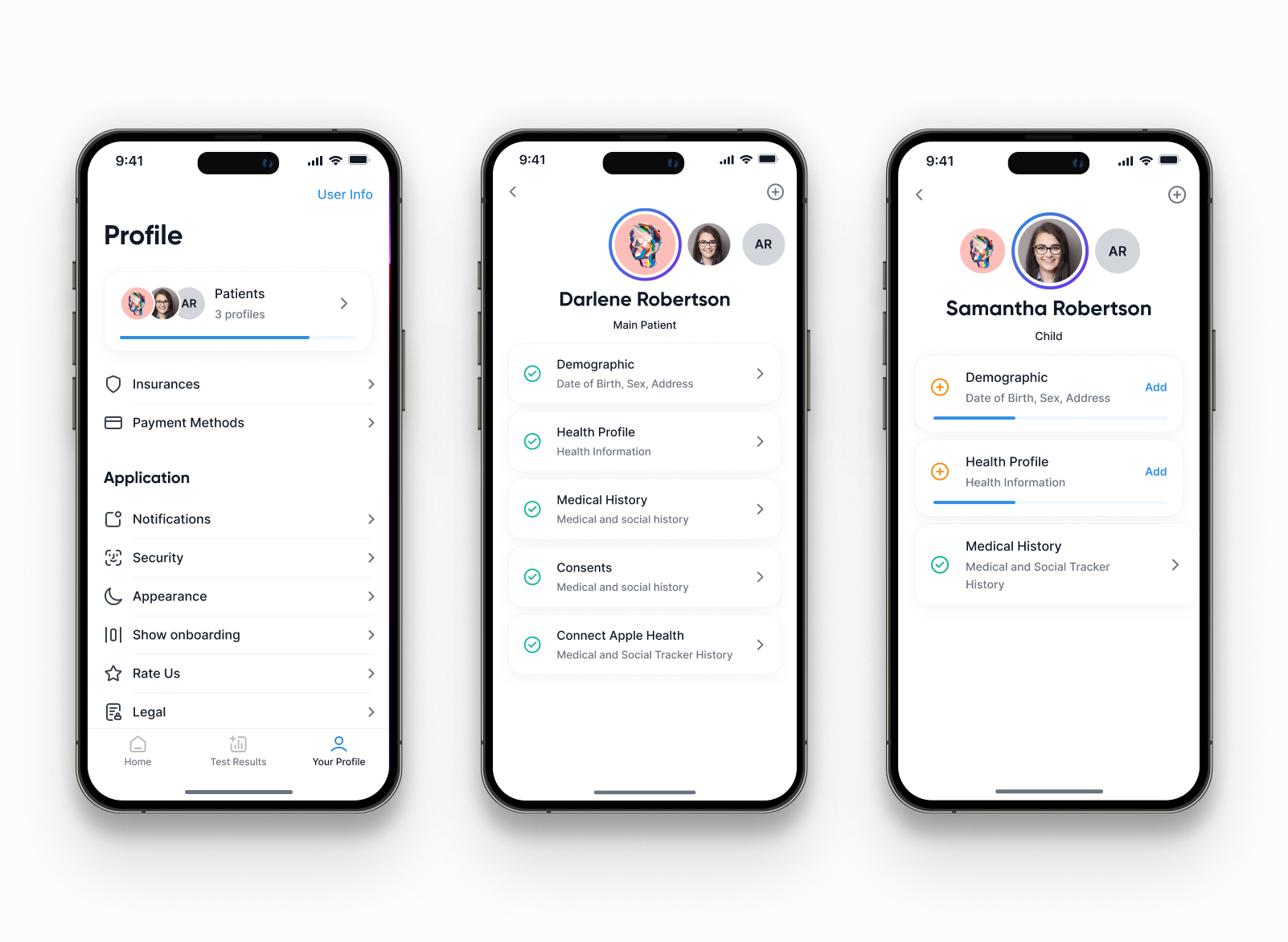
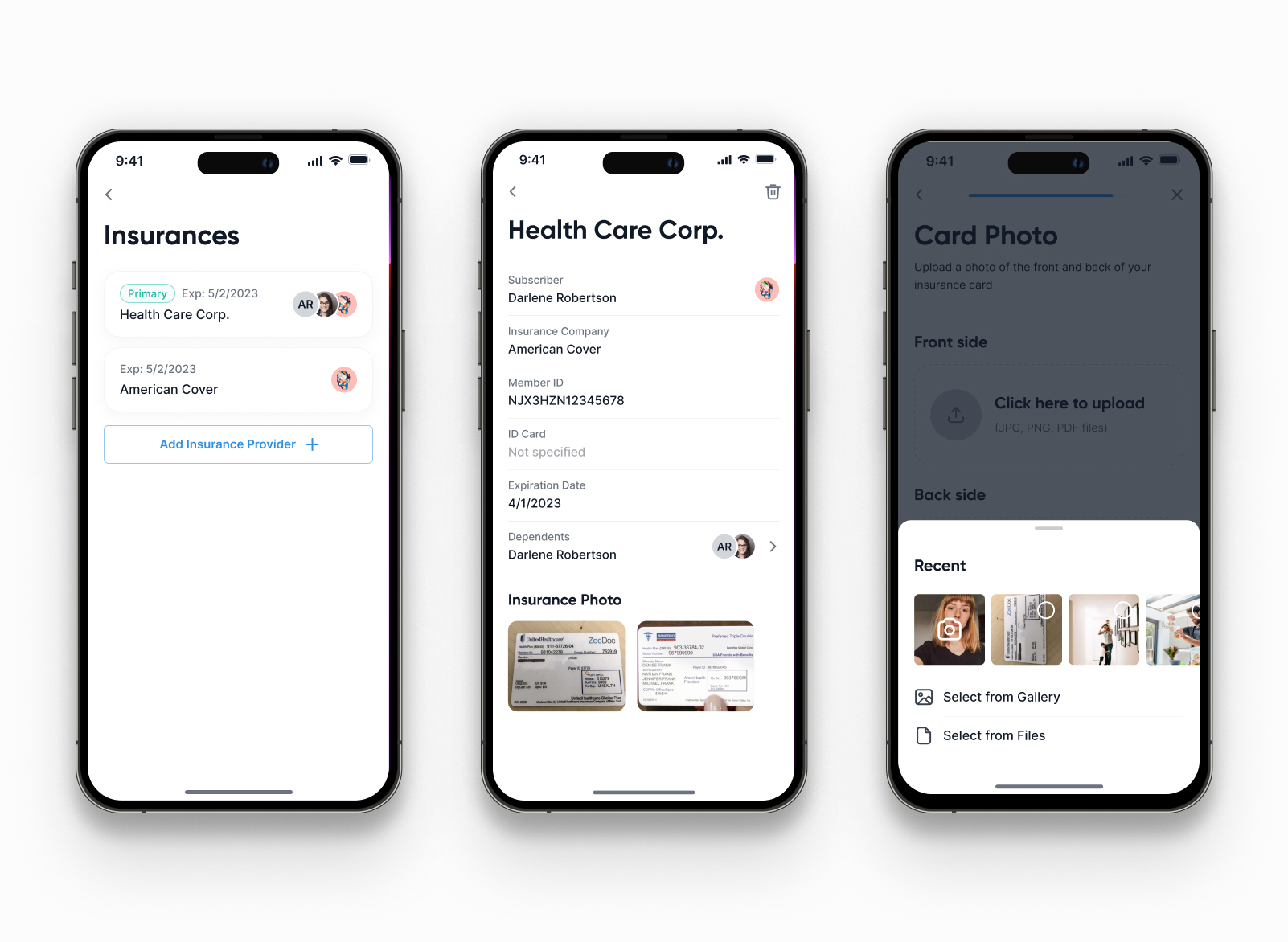
Dependents were the part that made us rebuild the navigation. Adding a child needed three things we'd underestimated: a separate insurance card — kids often sit on the other parent's plan; results addressed to the legal guardian but interpreted for the child's age and biology; a context switcher that makes "I'm looking at me" and "I'm looking at my daughter" feel instant and unambiguous. We put a profile avatar row at the top of every screen. Sounds obvious in hindsight — it took three iterations to make the switch feel instant and never let a parent's blood test sit under a child's name.
What shipped
One iOS app, designed to live as long on a parent's phone as on the patient's own.
- Multi-profile navigation with a context switcher (self + dependents)
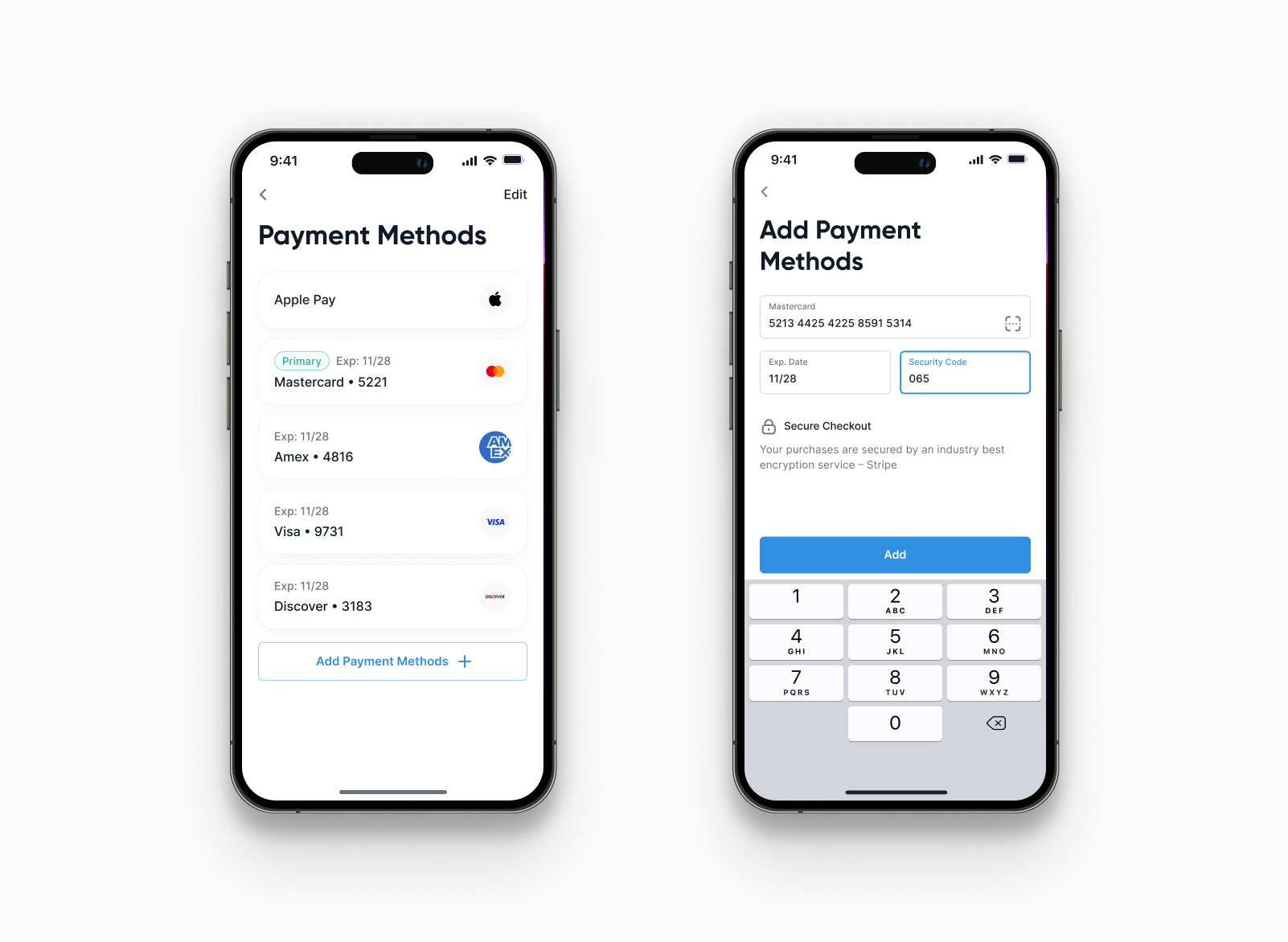
- Separate insurance plans per profile, with on-file verification
- Test ordering — self-directed and physician-referred — in one flow
- Appointment booking with FlowHealth clinicians
- Per-test-type result layouts: allergy, dietary, STI, respiratory, CBC
- AI interpretations in plain language, shown before the reference ranges
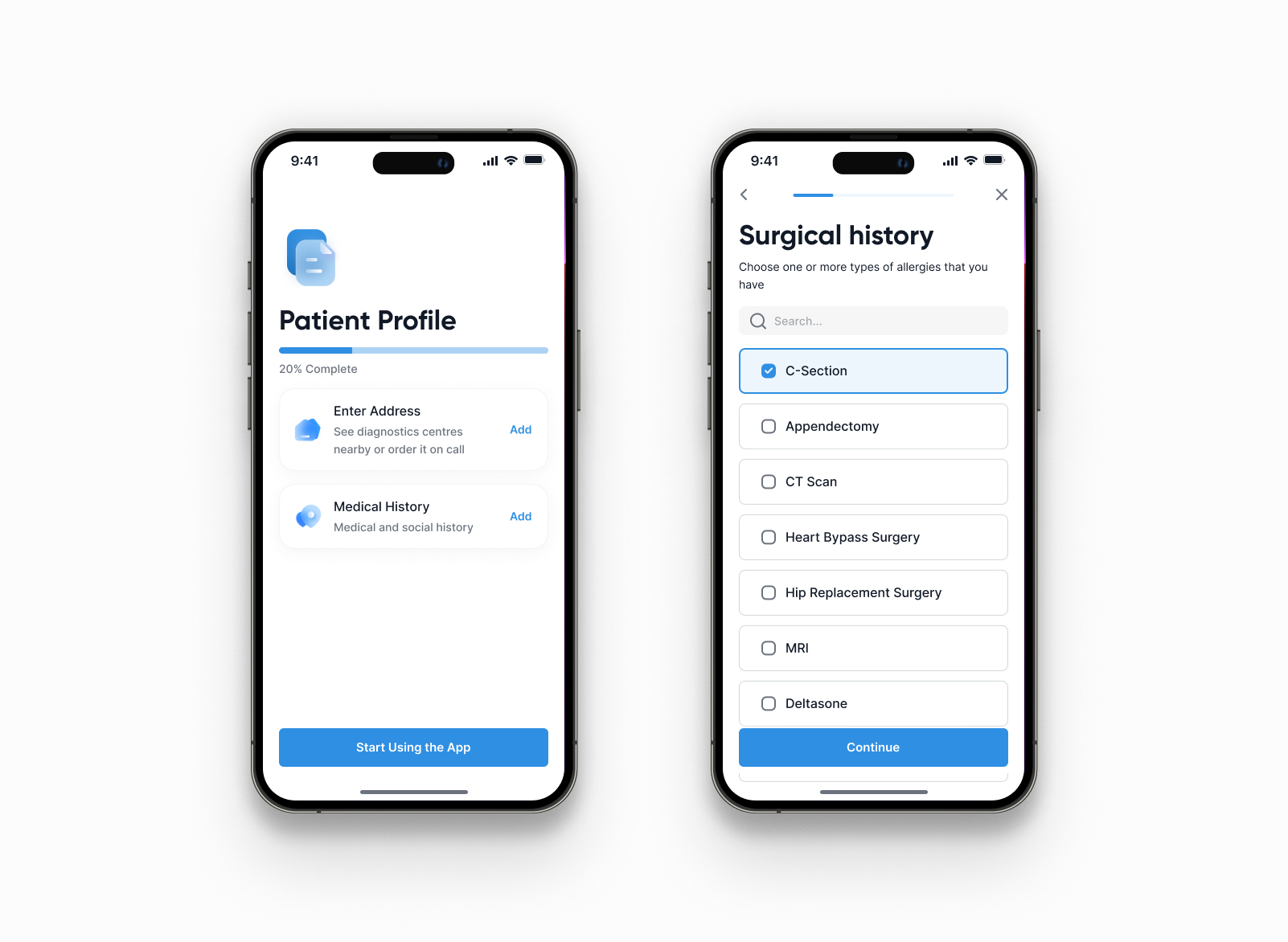
- Patient profile onboarding — built up in small, optional steps
- Quiet notifications — only when something is actionable
Closing note
The hardest thing to accept was that a patient app isn't really about the patient. Half the time it's about the person sitting next to them — a parent, an adult child, a caregiver. Once we stopped designing for a single user and started designing for a relationship, everything else — the profile switcher, the per-profile insurance, the test-by-test interpretations — came from the same place: health isn't one person's file, it's a small network of them.