Allie Go is a mobile security camera — a battery-powered companion that treats the phone as the viewfinder.
Go was designed around a single loop: pair, place, peek. The hardest interaction was the first thirty seconds — getting the user from box to live feed without a manual.
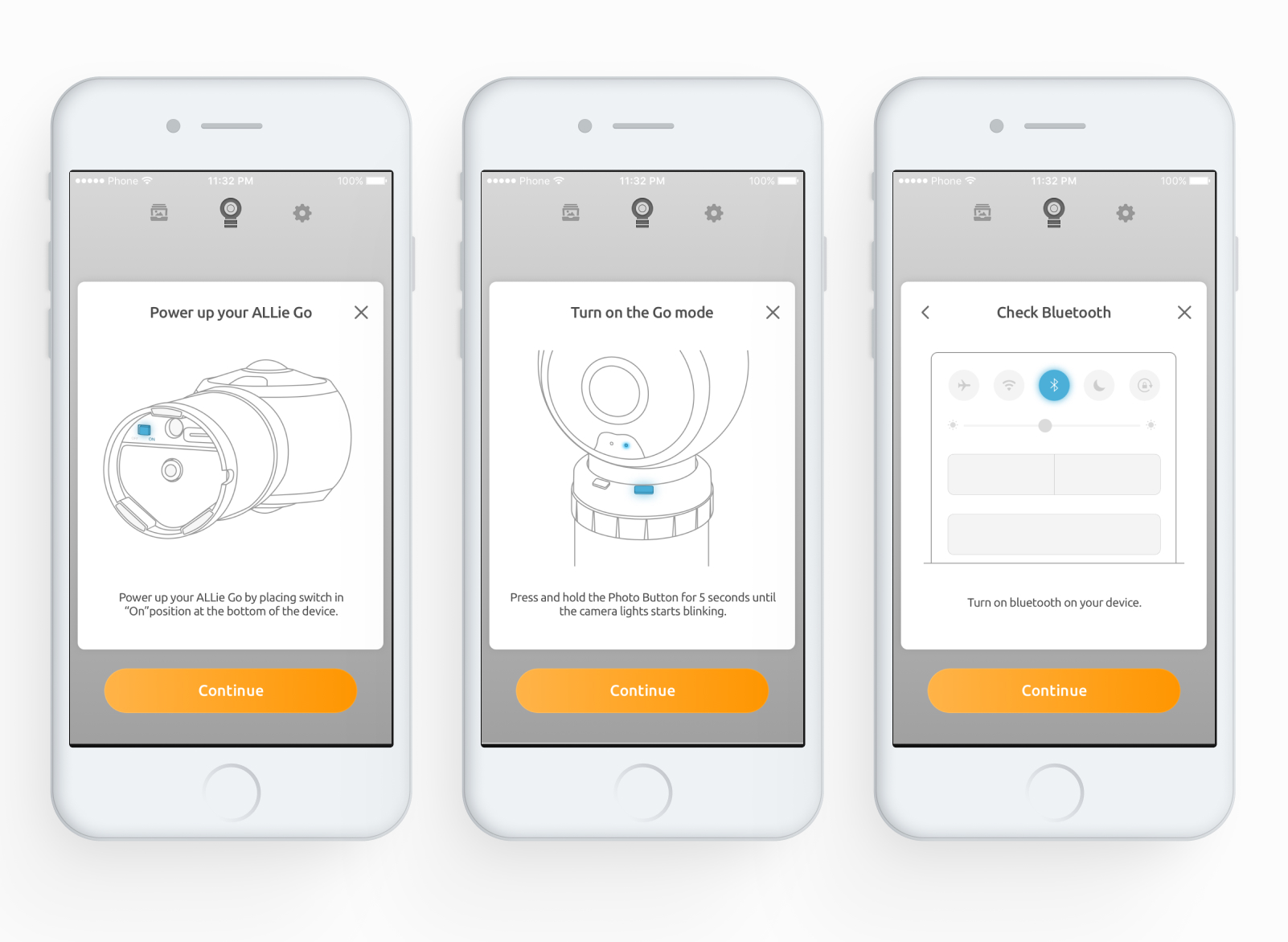
We ended up with a paper-airplane metaphor for pairing: aim the phone at the camera. It sounds silly until you watch a first-time user do it in eight seconds.
How we worked
Go is a piece of hardware with a phone attached. The design problem starts when the user pulls it out of the box: camera, stick, two cables, paired over Wi-Fi Direct, seven chances to fail. I mapped every failure state with the hardware team and wrote UX copy for each one before the setup flow was done — by the time someone sees an error message, it's too late to write it.
The paper-airplane pairing metaphor came out of a meeting I'd written off. We were arguing about QR codes versus Bluetooth scan, and someone asked why the user couldn't just point the phone at the camera like you point a paper plane. The idea is silly on paper. In testing, first-time users paired in eight seconds without reading instructions. That's the number that killed the QR flow.
Everything after pairing was about honesty. Battery, connection quality, whether the clip you're watching is live or cached — all of it visible, all of it in plain language. A security camera that lies to you about what it saw is worse than one that didn't see it at all. That rule cost us a few 'cleaner' screens and bought trust that showed up in the app-store reviews.
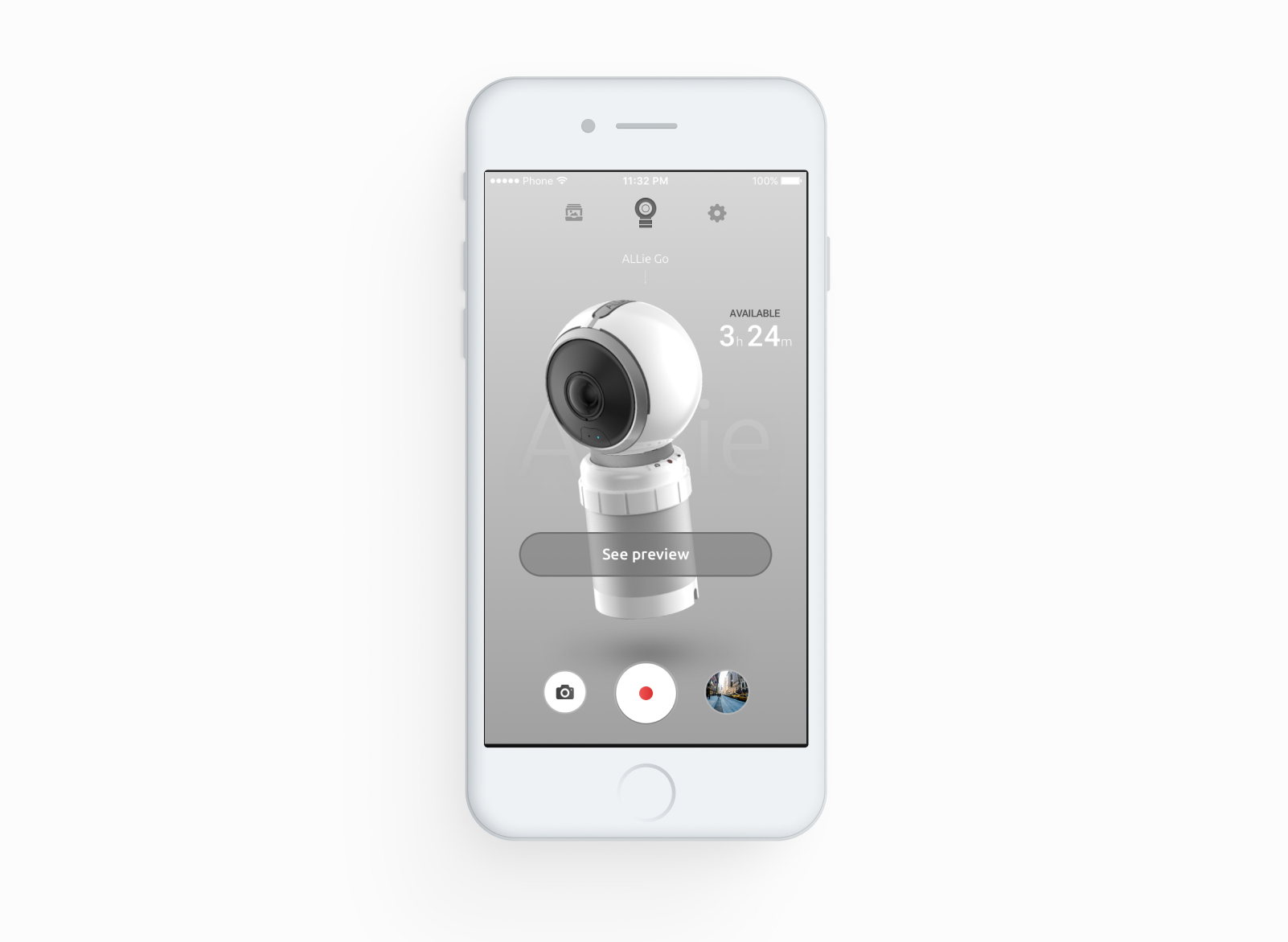
What shipped
- Pairing flow for camera ↔ stick over wireless
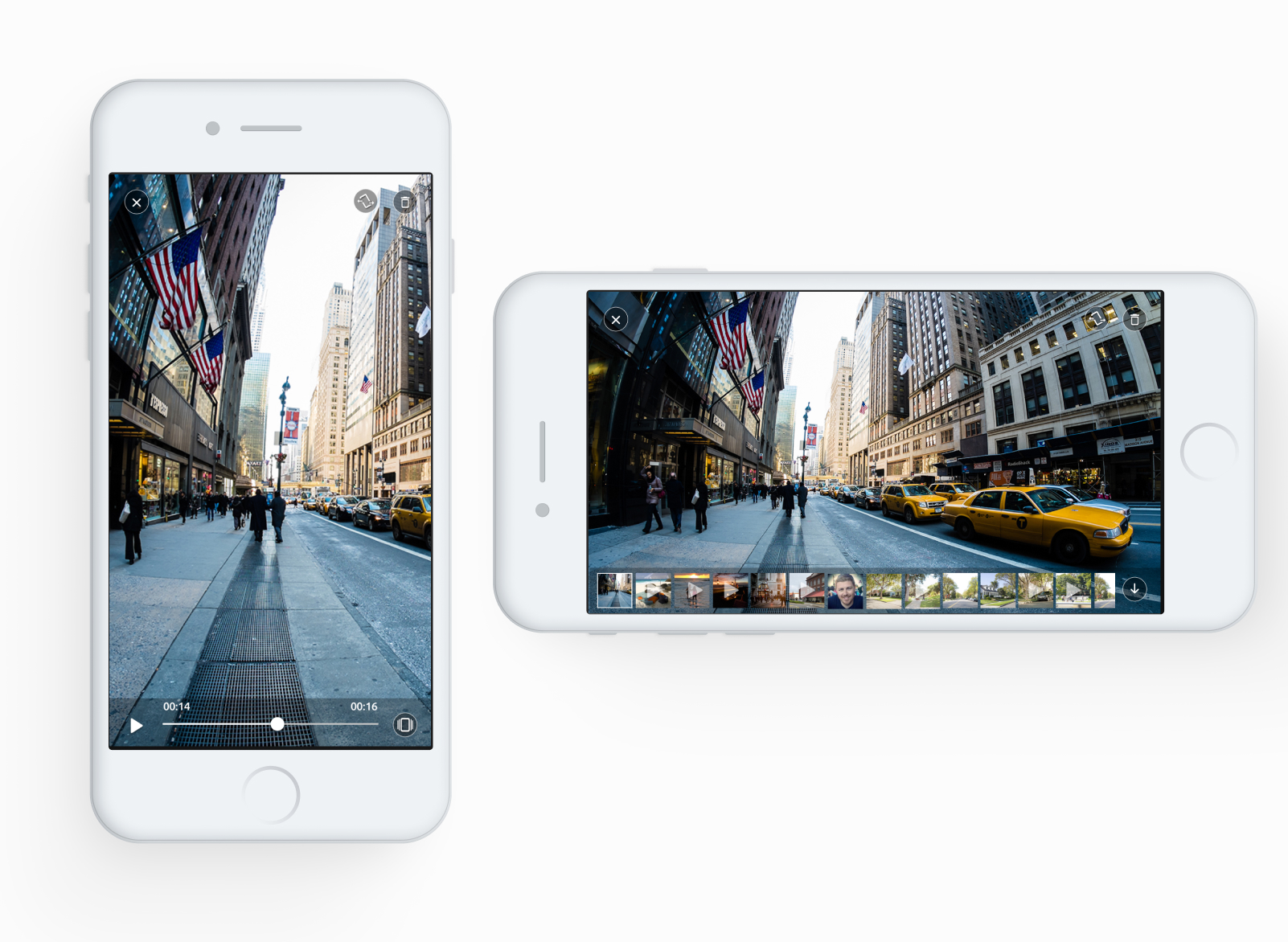
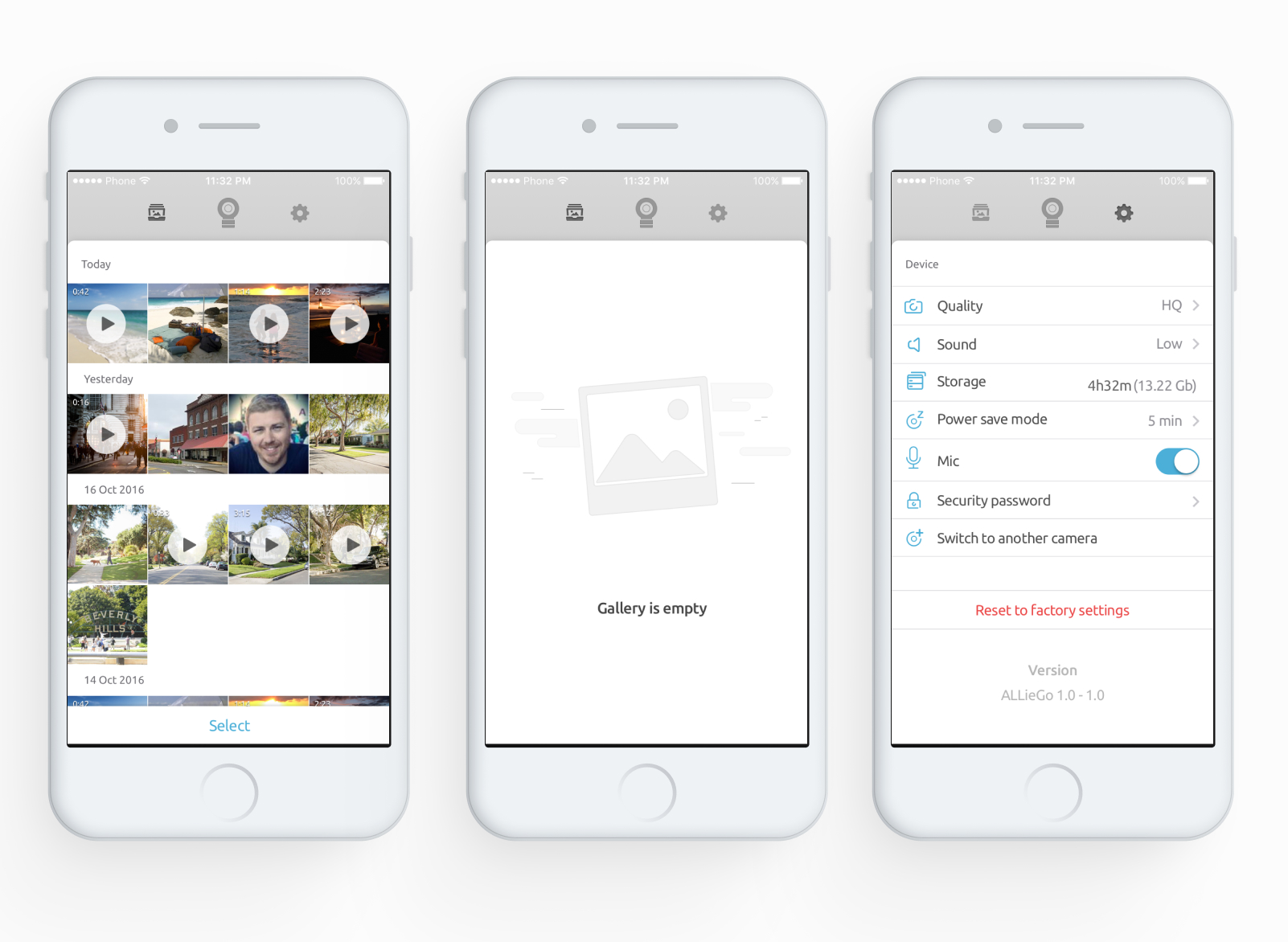
- Media library on SD with phone-side browsing
- 360 player shared with Allie Home
- Step-by-step instructional patterns for an unstable hardware combo
- Settings, account, support
Closing note
A technically raw product where most of the design problem was hiding the rawness behind honest status and clear instruction — letting the user trust a setup we couldn’t fully predict ourselves.